More command options for The Sims 4
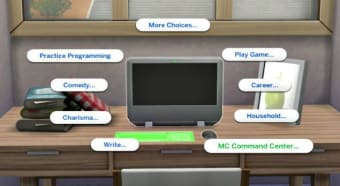
MC Command Center is a game utility developed by Deaderpool for fans and casual players of The Sims 4. This useful app works just like Twallan’s Master Controller mod for The Sims 3. It’s the main module that’s needed for other modules to work. All modules deployed should match the version of this. Also, it contains several settings and command-line actions. All of these can be accessed your in-game Sims’ computer and by clicking a particular Sim. On top of that, this game mod updates frequently so, you can expect to experience new options that will alter your game from time-to-time.
Various additional modules and command-line actions
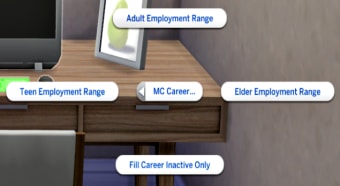
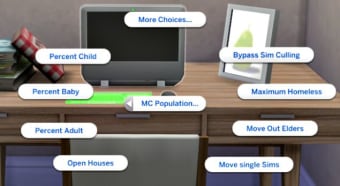
MC Command Center offers more than ten modules, including MC Career, MC CAS, MC Cheats, M Cleaner, MC Clubs, MC Control, MC Dresser, MC Gedcom, MC Occult, MC Population, MC Pregnancy, MC Tuner, - Automation Scan, and MC Woohoo. It also comes with lots of add-ons, allowing you to mix and match the effects you want in your game. For instance, the MC Cleaner allows you to run a basic clean through the game, which lets you get rid of homeless ghosts and force alien disguises. You can also set default make-up options for when your Sims age up.
Its compatibility is tested and proven to work with various The Sims 4 game versions such as GTW, OR, Get Together, Dine Out, City Life, Vampires, Parenthood, Cats & Dogs, Jungle Adventures, Seasons, Get Famous, Strangeville, Island Living, Realm of Magic and University Living. However, earlier versions of The Sims 4 are not supported by this mod utility. The installation of this program is a piece-of-cake, especially for those who have prior experience in installing a Sims mod.
As mention above, the MC Command Center module is always required, unlike other modules that can be an additional option for you. You should ensure that all modules and packages you want to access are placed in one same folder. Make sure that it is not one level deep in the Sims 4 mod folder structure. When you are doing an upgrade, you must delete all MCCC TS4script and package files before downloading the new versions and extracting them into your mod folder. However, you should leave MC Settings, MC Tuner, and MC Dresser as its versions are automatically updated.
Experience The Sims 4 at the new light
If you are a huge fan or even just a casual player of The Sime 4, MC Command Center mod utility program is a must-try. It is a notable module that everyone shouldn’t miss out on. You will see a fresh and new take on The Sims game as it provides more common-line options, which makes it more enjoyable and engaging top play.
Additional Features to Discover
- Advanced Story Progression: MC Command Center enables non-played households (NPCs) to live their lives autonomously, making the game world more dynamic.
- Relationship Control: Manage relationships between Sims by adjusting friendships, romances, and family ties.
- Time and Speed Control: Customize game time settings, such as the speed at which time passes and the length of each life stage.
- Debugging and Error Logging: Use built-in tools to identify and resolve issues within the game.
- Compatibility and Updates: Keep the mod up to date for continued compatibility and functionality with various expansions and game versions.
- Mod Use Warning: Be aware of potential risks when using mods, such as causing issues or conflicts within the game. Always back up your game saves before introducing new mods to ensure a smooth gaming experience.